macOS shared agents
2019-04-15
CI/CD on macOS platform
Task
I was recently tasked with building a CI/CD pipeline for iPhone app. Not something I have done before, though I’ve been an Apple user for a number of years.
Company is a relatively dynamic startup, trying to use as much as possible hosted services vs doing it themselves.
They were using GitHub as code repository, which obviously doesn’t have it’s own CI/CD part.
But can of course integrate with anything that can git clone, and ideally receive a webhook request.
Requirements
We needed a hosted CI/CD tool, so we didn’t consider classic tools like Jenkins, TeamCity etc.
We need it to support:
- macOS agents in general
- customizable build environment, e.g. to pre-install tools like fastlane, carthage etc
- work with fastlane\match code-signing approach and certificates stored in a separate git repo managed by match
- work with HockeyApp
We were a bit biased towards GitLab CI/CD, so would ideally use it if it gave us what we need.
Mac specifics
iPhone builds are done by XCode on macOS.
Apple has limitations on how and where you can run their OS. Hard bottom line is that it has to be on genuine Apple hardware.
There are no providers that spin up physical hardware programmatically, so you have to rent hardware and then can run your software on them.
As one of the consequences - AWS does not provide macOS EC2 instances, nor does GCP or Azure. Moreover Xen (used by EC2) doesn’t support macOS, and AMI import won’t import an macOS image. Even if you could, macOS might refuse to run on non-Apple hardware.
There are several specialized providers of Macs as IaaS. Some of them connect physical Macs and give access to them. This is not very scalable.
More efficient is to run a hypervisor on top of Apple hardware and then spin macOS guests. The only hypervisor that does this well is VMWare and the only provider that does this at scale seems to be MacStadium.
Solution Options
3 classes:
-
CI tool that provides shared macOS agents
-
paid hosted macOS VMs, we install dev\build tools and connect to CI tool:
- https://www.macstadium.com/pricing - $59/mo - Legacy mini i5 (2.5GHz i5 Dual Core, 4GB 1600MHz DDR3, 500GB HDD)
- https://xcloud.me/ - 49 CHF/mo (1 CHF ~= 1 USD) (1 vCPU, 2 GB Memory, 40 GB SSD Disk)
- http://remotemac.io/pricing - € 19,95/mo - 2 Xeon CPU cores, 4 GB ECC RAM, 60 GB NVMe Storage (Xcode pre-installed)
- https://portal.macincloud.com/select/#/plans:
- $20+/mo for Physical, no Admin access, 2 cores 8GB RAM 50Gb disk
- $49+/mo for Virtual, with Admin access, 2 cores 2GB 50 Gb disk
- https://www.hostmyapple.com/macdedicated.html - $49.99/mo - Mac mini i5 2.5GHz + 4GB of RAM + 256GB SSD
-
DIY - as above, plus we even host it ourselves:
- software emulation (e.g. QEMU) running on top of Linux (e.g. as EC2 instance)
- on a bear metal Mac in the office (e.g. with Anka: https://veertu.com/)
- on a bear metal EC2 instance (starting from $4.464000 hourly for On Demand z1d.metal) + VMware\Virtualbox + macOS guest (e.g. as a Vagrant box)
CI tools and macOS support
Only hosted CI tools were considered here.
Tools were reviewed against 2 requirements:
- connect your own Mac as a build agent
- provide shared macOS agents, so we don’t have to manage macOS fleet ourselves
Travis
Pros:
Travis has been supporting shared macOS machines at least for 2 years.
macOS Build Environment: https://docs.travis-ci.com/user/reference/osx/
They use MacStadium for macOS agents: https://www.macstadium.com/customers/travis-ci
Agent machine spec: https://docs.travis-ci.com/user/reference/overview/#virtualisation-environment-vs-operating-system i.e. 2 cores + 4Gb RAM + 41GB disk
If you are using a paid plan (say “Small Business” at $249 / mo, allowing 5 Concurrent jobs) you get macOS builds included in the plan, and not charged separately.
Cons:
- macOS agent comes with some tools preisntalled (like xcode) but still missing lots of tools that we needed, and installation of all the prerequisites took ~15 minutes each build
- Travis doesn’t allow you to connect your own agents
GitLab
Supports your own macs (GitLab runner is written in Go and built for macOS too).
No support for hosted macOS runners at the moment - only Linux.
They are actively piloting though, also via MacStadium (as Travis).
Knowing their pace, I would give 6-12 months for the release of this feature.
It will likely to be a paid pack, or even part of just “Gold” plan ($99/user/mo).
Some links:
- https://gitlab.com/groups/gitlab-org/-/epics/851
- https://gitlab.com/gitlab-org/gitlab-ce/issues/47411
- https://gitlab.com/gitlab-com/gl-infra/infrastructure/issues/3183
- https://gitlab.com/gitlab-com/gl-infra/infrastructure/issues/5720
- https://gitlab.com/gitlab-com/gl-infra/infrastructure/issues/5294
Circle CI
Seems to have great support for macOS, including dev\build tools: https://circleci.com/docs/2.0/hello-world-macos/
Pricing: https://circleci.com/pricing/#build-os-x
Example: $129/mo - 5x concurrency, 1,800 max minutes/month, unlimited team members
Appveyor
No support for the moment, but they want:
https://help.appveyor.com/discussions/questions/28701-progress-for-macos
We are still working on macOS support in AppVeyor.
JFrog Shippable
Only “Bring Your Own Node” and costs $25/mo. You must be kidding me!
Proof links:
Drone
No support whatsoever: https://docs.drone.io/administration/agents/
Decision
We have decided to:
- Focus on building CI/CD pipeline scripts as portable as we can, so that we can later move between CI tools easily.
- Use Travis for now, as it already has managed macOS agents and we don’t have to make or buy anything.
- If we hit limitations, in either performance or control over the evironment, we can:
3.1. rent a hosted Mac
3.2. automate setup of build environment on it and connection to GitLab - Wait till GitLab add their own managed macOS agents
Crazy idea
Caution: Don’t do it at home. This was not meant to be used for any purpose other than academic. Travis guys might find me and shoot me in the leg.
So, Travis gives us unlimited minutes: https://travis-ci.com/plans
And it gives us managed macOS agents, which GitLab doesn’t do yet.
Why not run a Travis agent continuously and use it as a GitLab runner? :)
Tried that: https://gitlab.com/optimisen/agents/travis-macos-to-gitlab-runner
Had to dance a little, but it worked!
Used it to build “Hello World” Swift code: https://gitlab.com/optimisen/agents/travis-macos-to-gitlab-runner/-/jobs/187613315
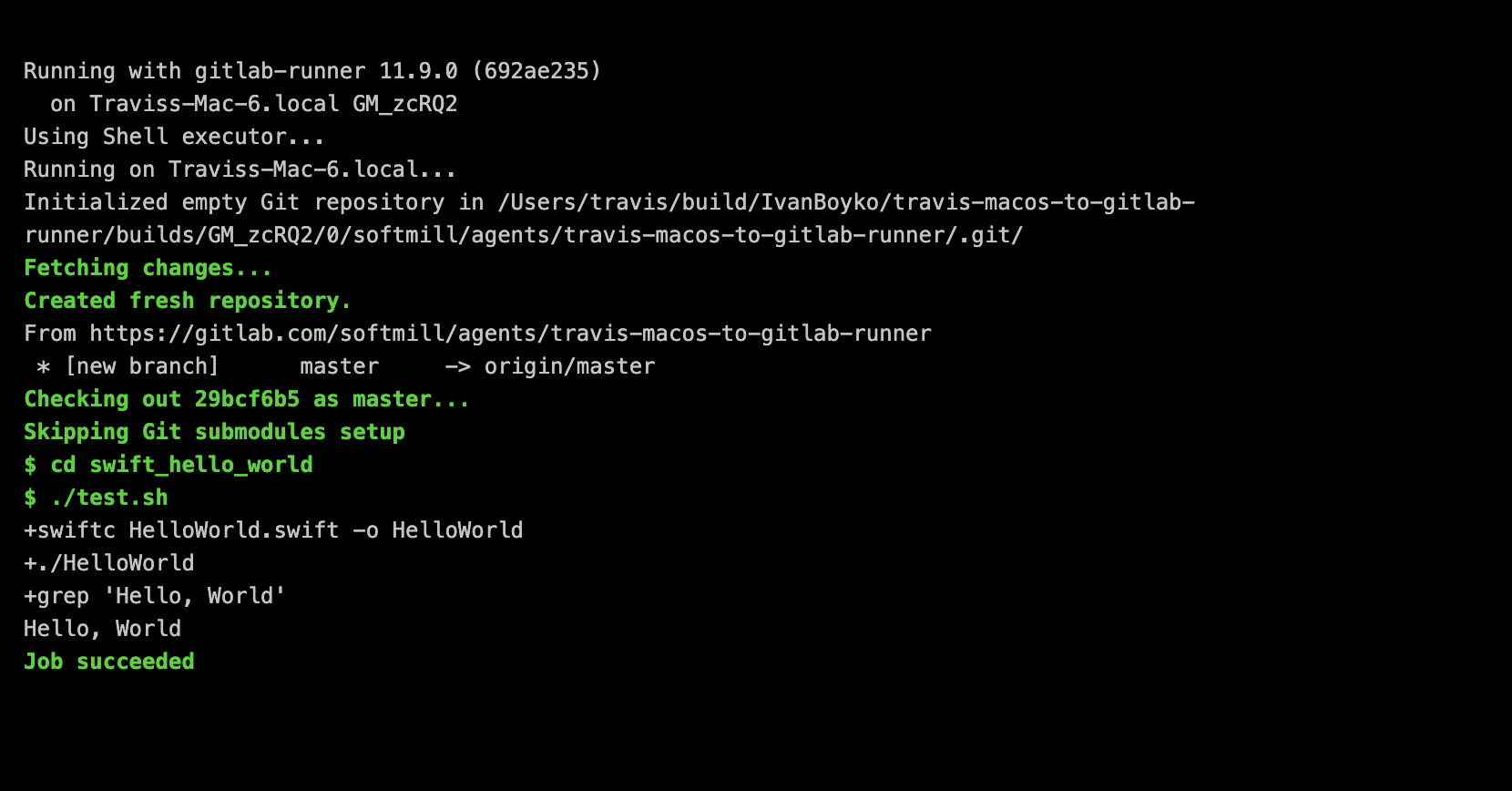
Running with gitlab-runner 11.9.0 (692ae235)
  on Traviss-Mac-6.local GM_zcRQ2
Using Shell executor...
Running on Traviss-Mac-6.local...
Initialized empty Git repository in /Users/travis/build/IvanBoyko/travis-macos-to-gitlab-runner/builds/GM_zcRQ2/0/optimisen/agents/travis-macos-to-gitlab-runner/.git/
Fetching changes...
Created fresh repository.
From https://gitlab.com/optimisen/agents/travis-macos-to-gitlab-runner
 * [new branch]      master     -> origin/master
Checking out 29bcf6b5 as master...
Skipping Git submodules setup
$ cd swift_hello_world
$ ./test.sh
+swiftc HelloWorld.swift -o HelloWorld
+./HelloWorld
+grep 'Hello, World'
Hello, World
Job succeeded
There is still a timeout of 50 min (public repos) or 120 min (private repos) for a Travis job. Travis supports “Cron jobs”, but the shortest interval allowed is “daily”, which isn’t enough. I guess we can retrigger a build from the currently finishing build. Or find some other way to keep agent always available.
What it gives us:
- ability to have iOS pipelines in GitLab right now
- reduce build time by 5-6 minutes, which is spent on initial configuration of build environment